
Salesforce is a strategic reporting tool that helps nonprofits track and report on data essential for understanding programs, pipeline, and donors. Rather than explaining how to create and customize reports in Salesforce, in this article we’ll share how strong user engagement, adhering to data best practices, and clear documentation are important strategic actions that will help ensure reports meet user needs.
Accurate Reports Rely on Accurate Data
Accurate reporting in Salesforce relies on good data practices, a strong system Admin to steward the CRM, and team accountability when it comes to entering the data that will someday be reported on.
One of the first steps that managers can take to help ensure accurate reporting down the line is to write up documentation that explains your organization’s data management practices. Ideally this documentation outlines data best practices, sets realistic expectations for users, and helps to create a culture where it’s understood that data is an important strategic tool that guides big-picture organizational decisions.
You can talk about how important tracking data is until you’re blue in the face, but it won’t matter unless you have staff buy-in and strong user engagement. To help achieve this, make sure that you have:
- A comprehensive training plan for all users to ensure that data is being entered correctly. This helps to ensure all data can be tracked/reported on and that it’s up-to-date in the system (think donor contact info)
- Regularly updated documentation resources that staff can rely on when needed
- System Administrator that regularly reviews data to ensure its being entered as planned.
- Engaged leadership that champions the CRM and pushes staff to be data-informed
When it comes to staff buy-in, prioritizing data review and discussion at staff meetings and retreats is a great way to show staff the actual outcomes of their data entry. This gives them a tangible ‘why’ when it comes to adhering to data entry best practices, and helps tell the organizational story through data that shows program growth, donor activity, the success of events, and various program-related changes over time.
When staff are able to connect the sometimes arduous task of data entry to impact reports for grant funding or their program growth over time, they’re better able to see the direct and tangible impacts of their day to day work.
Best Practices for Creating Reports in Salesforce
While individual organizations will of course have their unique way of doing things, there are some universal best practices that, when implemented, will help ensure the reports you create in Salesforce capture all relevant data and meet the stated requirements in terms of format and content. To meet these best practices you’ll need to:
- Identify who in your organization is in charge of generating reports (often it’s the Admin and/or Power User/s) but it could also be someone with a different role in the organization who enjoys working with reports and data.
- Clarify the process for submitting and processing report requests. Often this is done within a project management tool like Asana so timelines and questions can be easily tracked.
- Refer to your organization’s requirements gathering process to ensure that the features you build have reporting in mind. Check out our article, CRM Requirements Gathering Saves Time, Reduces Costs, and Delivers Smarter Enhancements, to learn more about getting a requirements gathering process in place.
- Coach all staff on how to communicate their report needs. This includes clarity on what the end user needs to see.
- Determine if the report is for an internal or external audience, what they need to show in the report, and how the data needs to be displayed. For example, if the development team is requesting the report, what is most important for them to see? Is it donations? Donation amount? Donation timeframe? Monthly gifts/month? The same goes for program reports – get very clear on what information the team needs to see in the final product.
- Clarify how data should be displayed. Is a simple list report sufficient, or do you need data grouped together and analyzed to show sums, averages, and time periods? Also determine if the report will be used in a dashboard, does it need a chart or graph, or any other specific formatting requirements.
When it comes to data entry and reporting in Salesforce one of the best things you can do is ensure the cleanliness and accuracy of your organizational data. This includes periodically reviewing the reporting folder structure and permissions to be sure the right people have access to the right reports.
Occasionally you’ll also need to delete unused reports; a library of 1,000 saved reports with only 55 being useful brings unnecessary distraction and friction to the process. Having that many saved reports will also confuse new users as they will be unsure what reports to use or start from when they join the organization/team.
Next Steps for Leveraging Salesforce as a Strategic Reporting Tool
Your CRM is a powerful business intelligence tool that should be leveraged to help make strategic decisions around organizational growth and mission-critical goals.
Reporting allows you to show metrics on everything from programs to pipeline to fundraising goals. This is great stuff, but remember that reports rely on accurate data, which relies on staff buy-in, engagement, and training.
If staff aren’t well trained, don’t have the support they need to fulfill requests, or don’t have a clear process to follow, they might be spending an inordinate amount of time fulfilling reporting needs outside the system in ways that are not easily repeatable. The way to address this is to build and design the system with reporting in mind. Consider the questions: “how will we use the data we are collecting to make informed decisions?” And, “how can we support staff with the resources they need to do their jobs?”
When managed well, your CRM can grow and evolve, telling the story of your organization from many different angles. And we think that’s a pretty cool strategic tool worth investing time and energy into!
If you could benefit from support or guidance around some of the points we covered in this article, please reach out. We’d like to learn more about your work and discuss how we can partner with you to help achieve your CRM goals.
About North Peak
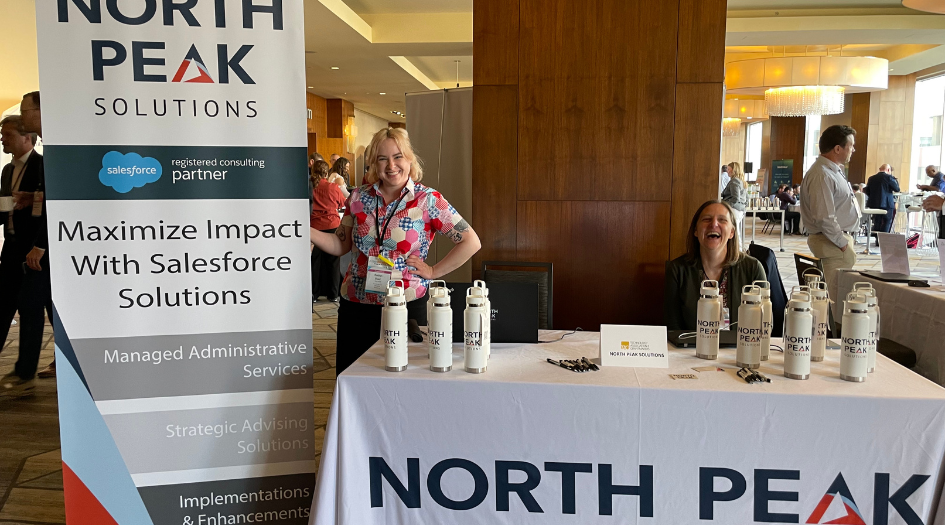
North Peak provides Salesforce-based services for nonprofits, foundations and the affordable housing sector who want to utilize the power of high-functioning CRM and GMS platforms. We achieve this through a holistic set of services, tailored to the needs of our clients.

Blog: Project Managers are Key to a Successful Salesforce Implementation
When it comes to big initiatives like a Salesforce implementation, the project manager is the glue that helps hold the project together.

Schedule a Free Consultation
If you’re considering implementing Salesforce or need help with Managed Administrative Services, or simply have questions about how to transform your organization’s data practices, we’d love to talk! Contact us for a free 30 minute call.